
Blaster
What Is Blaster?
Blaster lets you send WhatsApp broadcast messages to many contacts at once. Think of it like an email blast, but for WhatsApp. Got a Raya promotion? New product launch? Order follow-up for 500 customers? Blaster handles it.
Your messages go through official WhatsApp channels -- no funny business, no risk of getting banned.
Blaster Dashboard
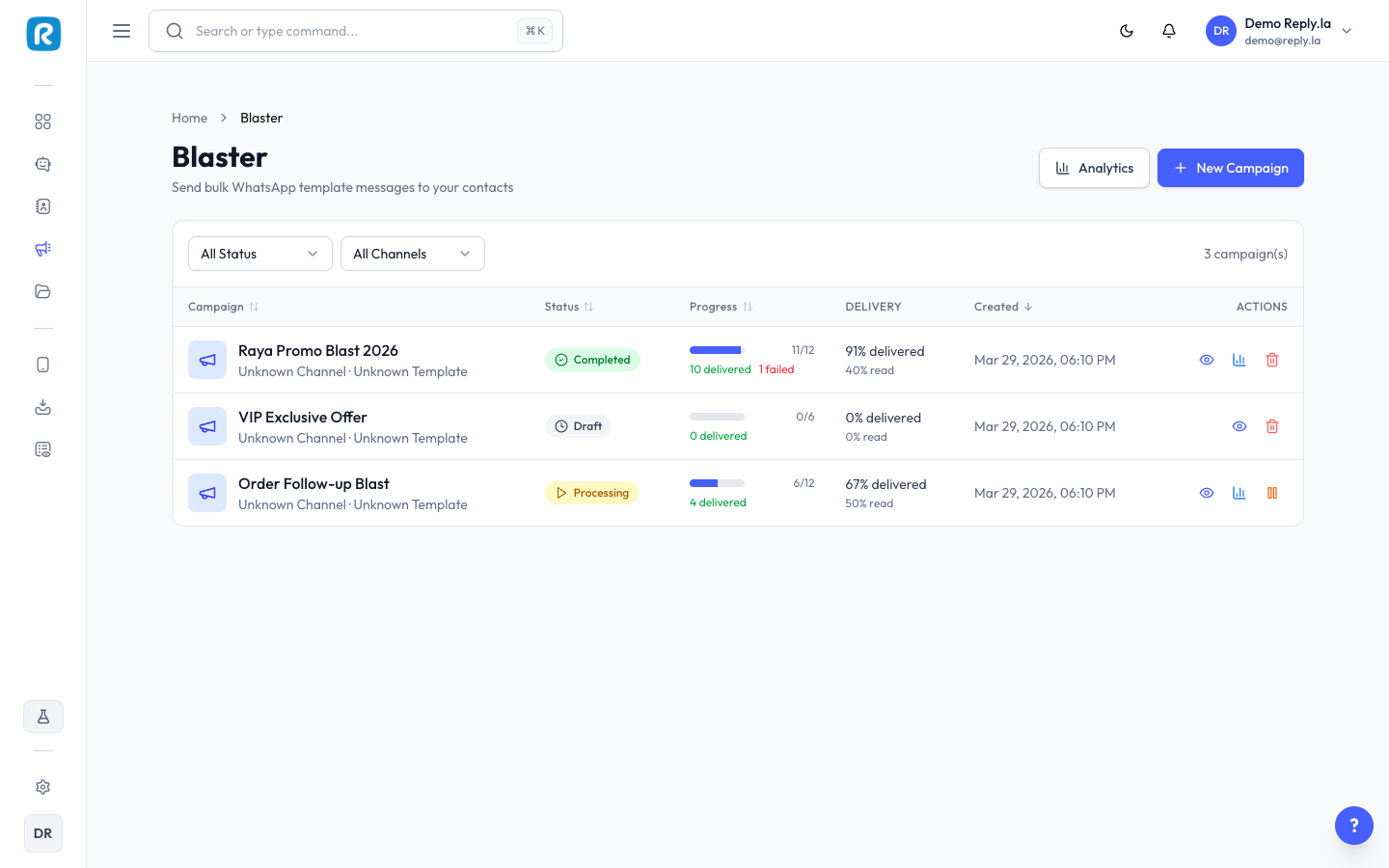
When you open Blaster from the sidebar, you'll see a list of all your blast campaigns. Each campaign shows:
- Campaign name -- e.g., "Raya Promo Blast 2026" or "VIP Exclusive Offer".
- Status -- Where the campaign is in its lifecycle.
- Progress bar -- Visual indicator of how many messages have been sent.
- Delivered / Read / Failed counts -- Quick metrics at a glance.
- Created date -- When the campaign was created.
Use the filters at the top to narrow by status or channel.
Campaign Status
Status | What It Means |
|---|---|
Draft | Campaign is saved but hasn't been sent yet. You can still edit it. |
Processing | Messages are being sent out. Sit tight. |
Completed | All messages have been sent. Check your delivery and read rates. |
Failed | Something went wrong. Check the error details and try again. |
Common Questions
Does Blaster cost extra?
Blaster is available on certain plans. WhatsApp also charges per-message fees through Meta (called conversation fees). Check Meta's pricing for your region.
Is there a daily sending limit?
Yes. WhatsApp has messaging limits based on your phone number's quality rating and tier. New numbers can start with limits as low as 250 unique contacts per 24 hours, and the limit increases as your quality rating improves.
Can I send blasts to contacts who haven't messaged me before?
Yes, as long as you use an approved message template. These are called business-initiated conversations on WhatsApp.
What if some messages fail?
You can see which contacts failed in the campaign details. Common reasons include invalid numbers or contacts who have blocked your number. You can resend to failed contacts.
Can I schedule a blast for later?
Currently, blasts are sent immediately after you confirm. Scheduling is coming in a future update.
Updated on: 21/04/2026
Thank you!