
Device Manager
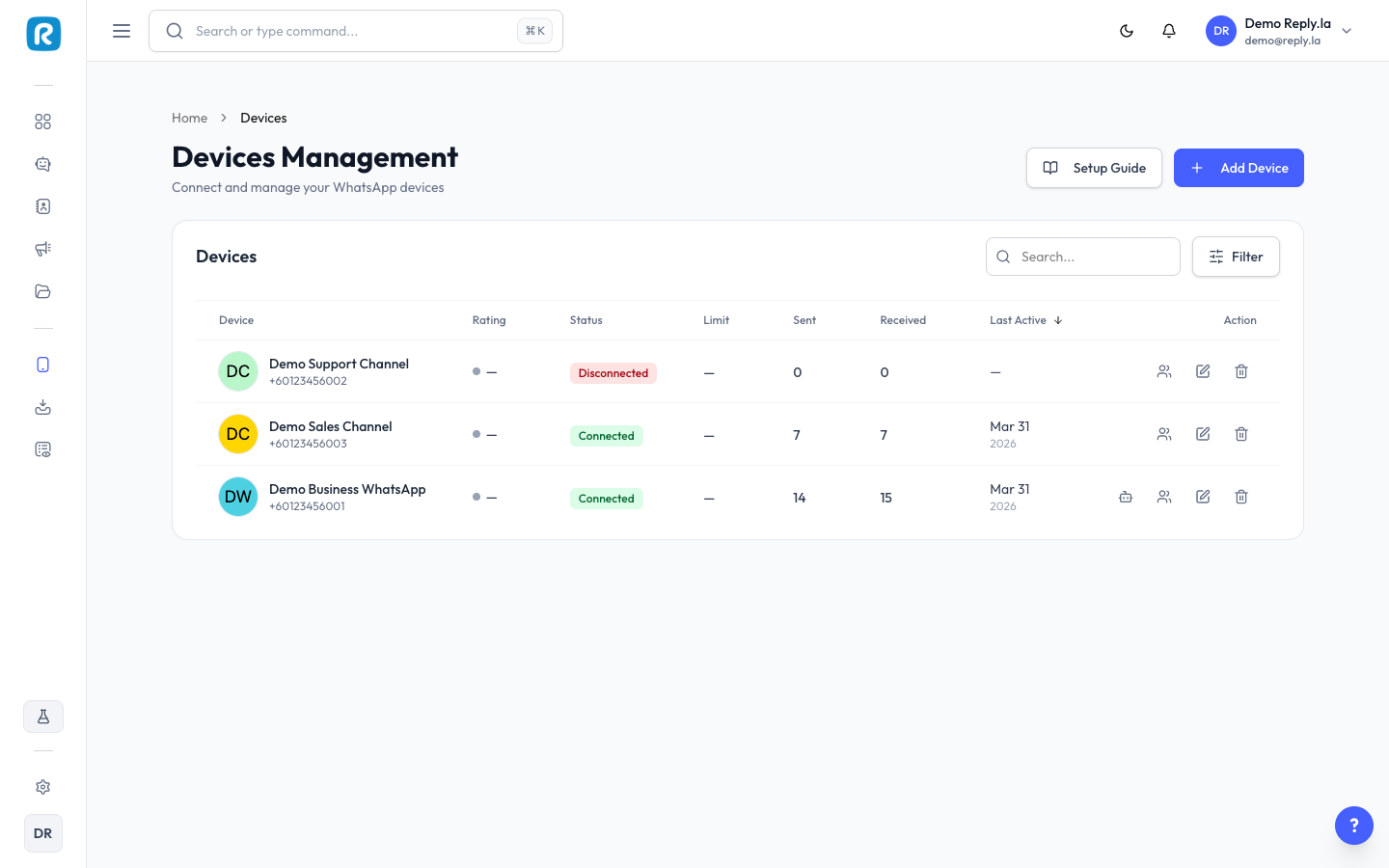
What Is Device Manager?
A "device" in ReplyLa is your WhatsApp Business connection. Each device represents one WhatsApp phone number. Device Manager lets you connect new numbers, monitor status, and manage settings.
Understanding Device Status
Status | What It Means |
|---|---|
Connected (green) | Working perfectly. Your chatbot can send and receive messages. |
Pending (yellow) | Being set up. Wait a few moments. |
Disconnected (red) | Not working. Needs reconnection. |
Device Information
Each device card shows:
- Device Name -- The name you assigned to this device.
- Provider -- How it is connected (Business API, Meta Coexistence, etc.).
- Status -- Connected, Pending, or Disconnected.
- Linked Chatbot -- Which chatbot is currently using this device.
- Quality Rating -- WhatsApp's quality score for your number.
- Messages Sent/Received -- Total messages sent and received on this device.
Managing Devices
Add a New Device
See the Connect Device guide for step-by-step instructions.
Edit a Device
- Click on the device you want to edit.
- Update the name, avatar, or other settings.
- Click Save.
Delete a Device
- Click the delete button on the device.
- Confirm the deletion.
When you delete a device, it disconnects from ReplyLa. Your WhatsApp number still works normally -- it just won't be linked to your chatbot anymore.
Reconnecting a Device
If your WhatsApp device disconnects, you can reconnect it directly from the Device Manager without setting up a new device. Click the Reconnect button next to a disconnected device and follow the prompts to restore the connection.
Common Questions
How many devices can I have?
It depends on your subscription plan. Check Settings > Subscription.
What's the difference between Business API and Meta Coexistence?
Business API is the official WhatsApp Business API -- most reliable for automation. Meta Coexistence lets you use WhatsApp on your phone alongside ReplyLa.
My device keeps disconnecting frequently. What should I do?
Check your WhatsApp Business account status, make sure the phone number is still active, and try reconnecting. If the problem persists, contact support.
Updated on: 21/04/2026
Thank you!