
Referrals
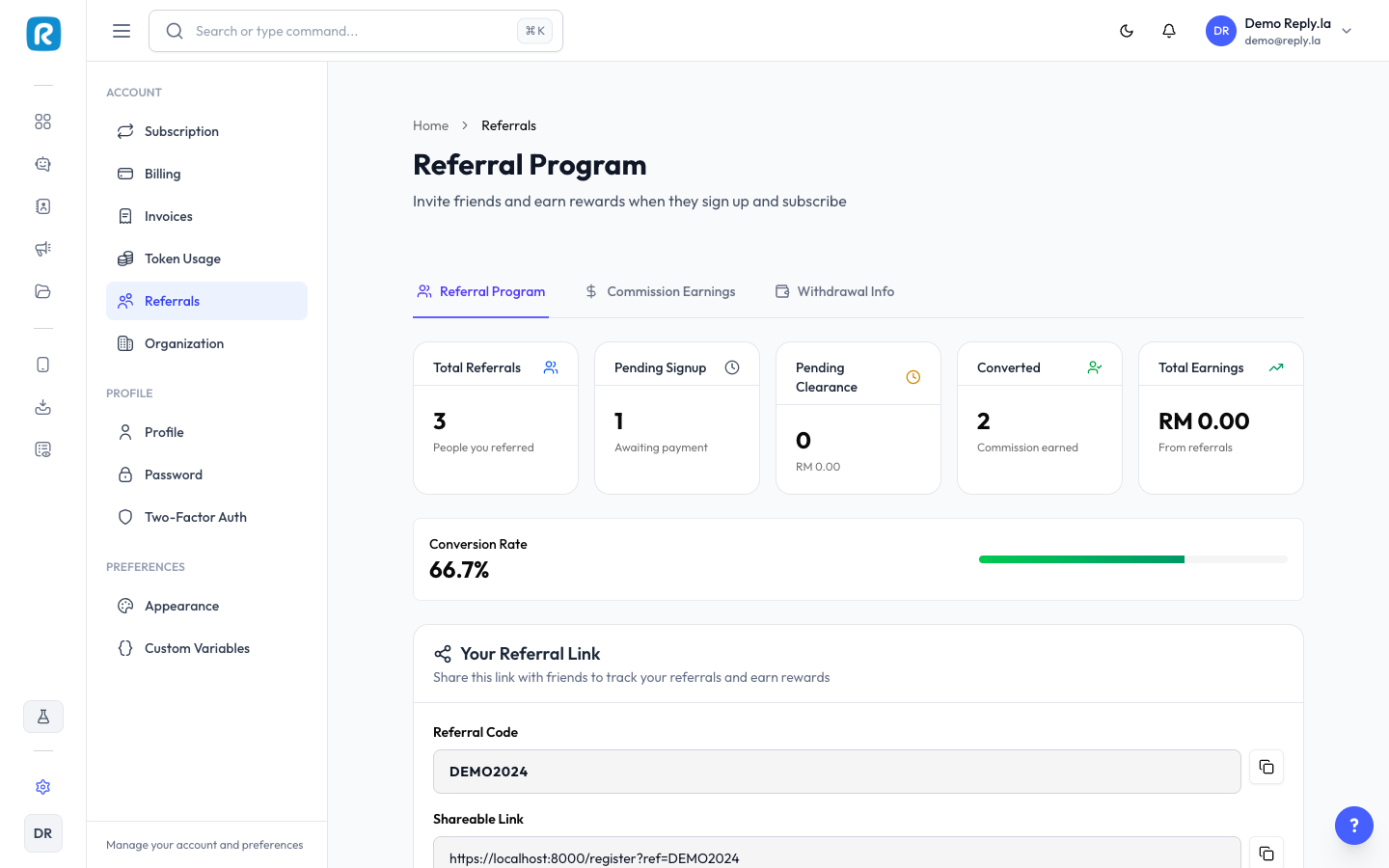
Referral Program
Share your unique referral link with others. When they sign up and subscribe, you both get rewarded.
How It Works
- Share your unique referral link with friends.
- They sign up using your link.
- When they make their first payment, you both get rewarded.
- Track all your referrals and earnings from the Referrals page.
Your Referral Link
On the Referral Program tab, you'll find:
- Referral Code -- Your unique code. Copy and share it directly.
- Shareable Link -- A ready-to-share URL containing your referral code.
- Share Referral Link -- Click this button to quickly share your link via supported apps.
Referral Stats
The stats cards at the top show:
- Total Referrals -- Everyone who signed up using your link.
- Pending Signup -- Users who clicked your link but haven't paid yet.
- Pending Clearance -- Commission amount waiting for clearance.
- Converted -- Referrals where commission has been earned.
- Total Earnings -- Your lifetime referral earnings.
Referral History
The table below tracks each referral and its conversion status, so you can see who signed up and whether they've subscribed.
Commission Earnings
The Commission Earnings tab shows your earnings and lets you request withdrawals.
How Commissions Work
- Referral commissions -- Earned when referred users subscribe to a plan.
- Coupon commissions -- Earned when someone uses your coupon code.
- New subscriptions have a clearance period before the commission becomes available.
- Renewals and add-on purchases earn instant commission with no clearance period.
Earnings Overview
- Total Earned -- Lifetime commission earnings.
- Available Balance -- Amount available for withdrawal.
- Pending Clearance -- Amount still in the clearance period.
Requesting a Withdrawal
- Ensure your available balance meets the minimum withdrawal of RM 50.00.
- Click Request Withdrawal.
- Withdrawal requests are processed by admins within 3--5 business days.
Owned Coupons
View any coupon codes assigned to you. Commissions from coupon usage appear under the From Coupons sub-tab in Recent Commissions.
Withdrawal Info
The Withdrawal Info tab is where you add your bank details for receiving withdrawal payments.
Required Fields
- IC Number -- Your Malaysian identity card number.
- Bank Name -- Select your bank from the dropdown list of Malaysian banks.
- Account Name -- The name on your bank account.
- Account Number -- Your bank account number.
Common Questions
When do I receive my commission?
New subscription commissions go through a clearance period before becoming available. Renewals and add-on purchases earn instant commission. Once available, you can request a withdrawal when your balance reaches RM 50.00.
How long does a withdrawal take?
Withdrawal requests are reviewed and processed by the ReplyLa team within 3--5 business days.
Can I change my bank details after submitting?
Yes. Go to the Withdrawal Info tab and update your details at any time. Make sure the information is accurate before requesting a withdrawal.
Updated on: 21/04/2026
Thank you!