
Subscription
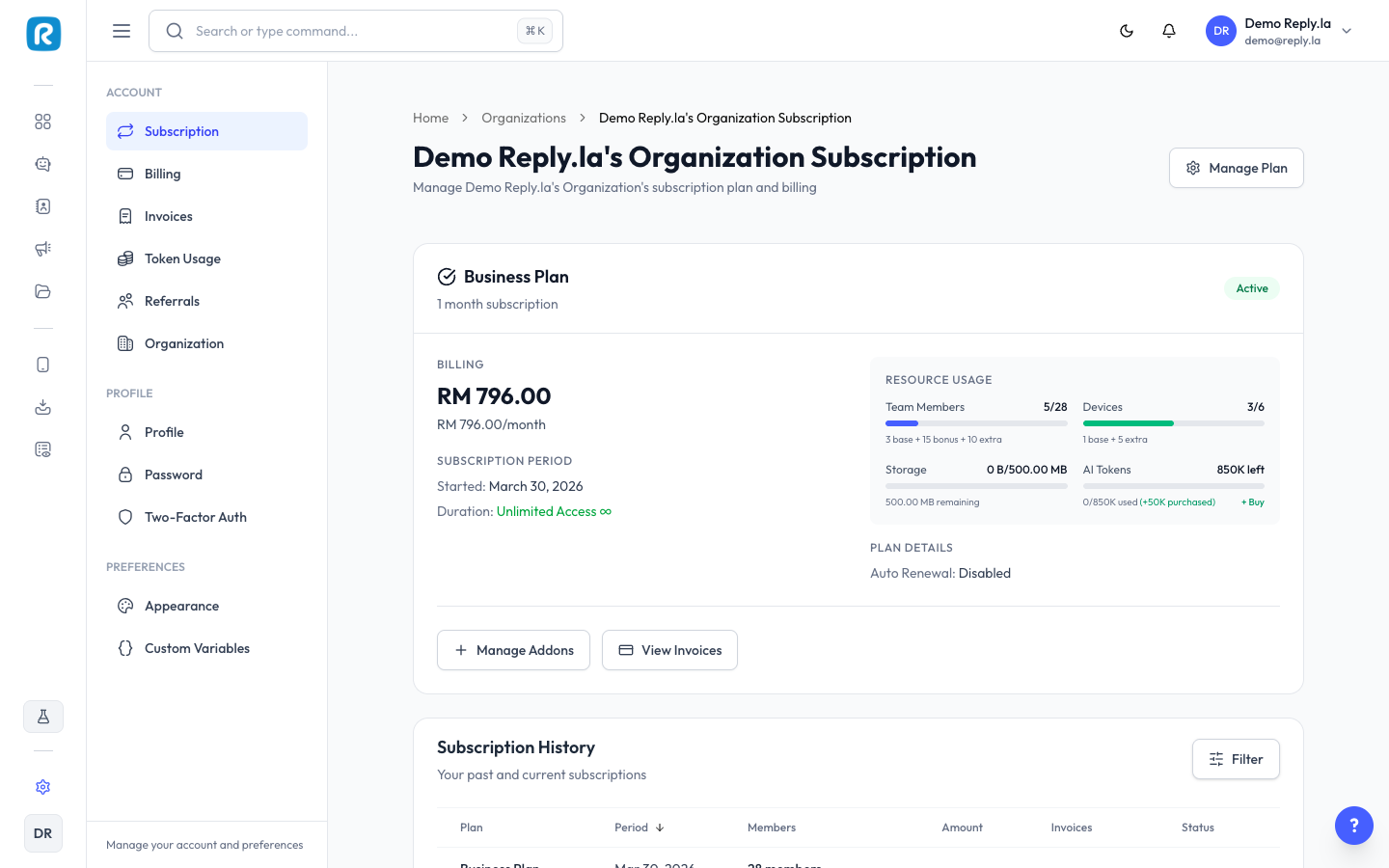
How To View Your Subscription
- Click Settings > Subscription.
- You'll see: Current Plan, Status, Renewal Date, Days Remaining, and Plan Limits (chatbots, devices, tokens, features).
How To Change Your Plan
- Click Change Plan or View Plans.
- Browse available plans.
- Select the plan you want and follow the checkout process.
- Your new plan takes effect immediately.
Blaster Limits by Plan
Each subscription plan has its own limits for the Blaster feature:
Plan | Blast Contacts / Month | Campaigns |
|---|---|---|
Pro | 2,000 | 20 |
Business | 10,000 | Unlimited |
Enterprise | Custom | Unlimited |
If you've reached your blast limit for the month, you'll need to wait for it to reset next month or upgrade your plan.
Auto Follow-Up Limits by Plan
The Auto Follow-Up feature also has limits based on your plan:
Plan | Active Follow-Up Rules | Follow-Up Messages / Month |
|---|---|---|
Pro | 5 | 2,000 |
Business | 15 | 10,000 |
Enterprise | Custom | Custom |
For more details on token usage, see Token Usage.
Common Questions
What happens when my subscription expires?
Your chatbot will stop replying. Renew your plan to resume service.
What are tokens?
Tokens are credits used by the AI to process messages. Each AI response uses some tokens. See Token Usage for details.
Updated on: 21/04/2026
Thank you!