
AI Knowledge
What Is AI Knowledge?
AI Knowledge is like a library for your chatbot. Instead of putting everything in Training Data (which the AI reads every time), you upload documents here. When a customer asks a question, the AI searches through your library and only reads the relevant parts.
- Training Data = a cheat sheet the AI always carries around
- AI Knowledge = a filing cabinet the AI searches through when needed
This saves you money because the AI only reads what's relevant to each question.
Before You Start
- You have created a chatbot.
- You have content ready to upload (product lists, FAQs, company info, etc.).
How To Add Knowledge
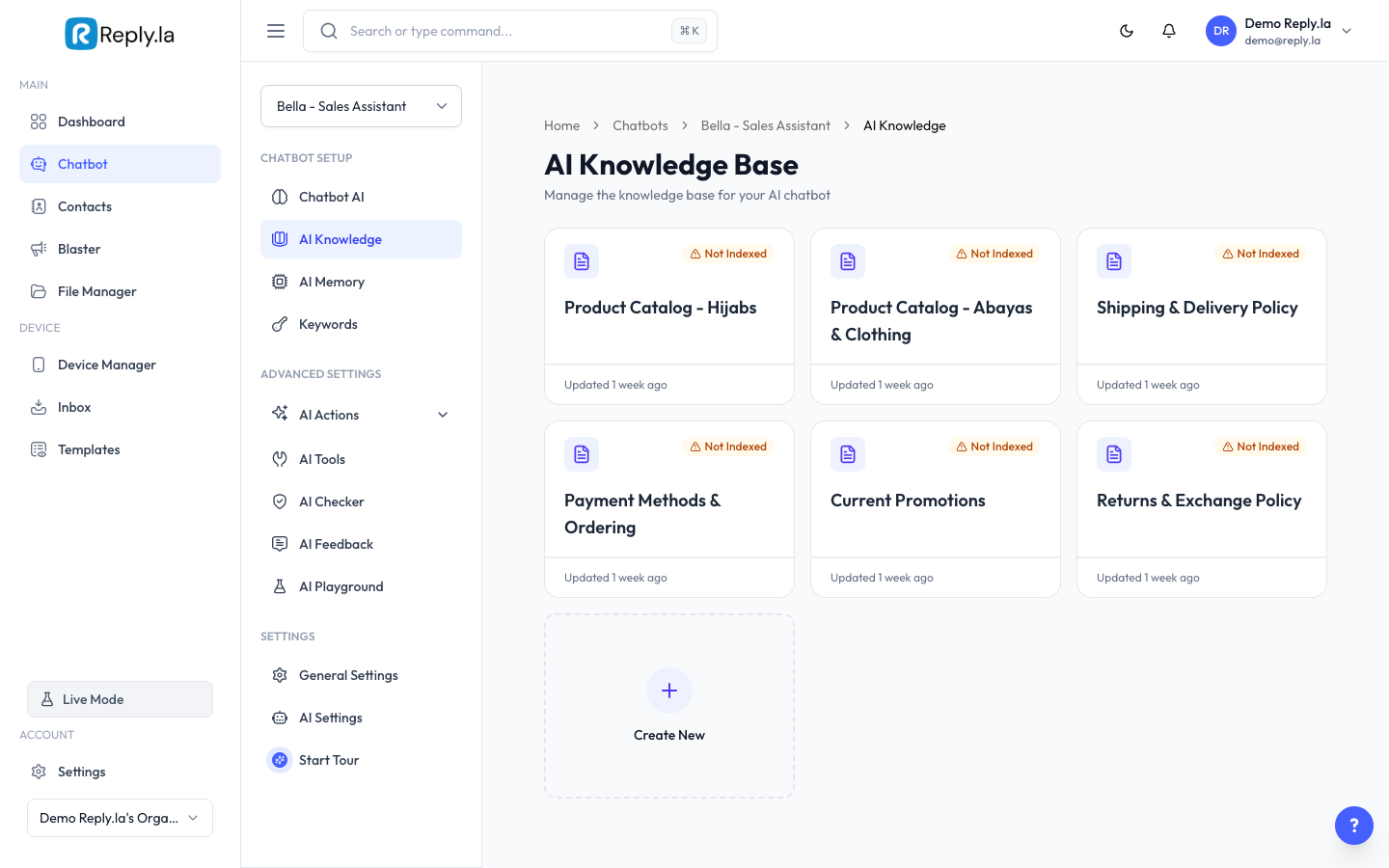
- Go to Chatbot > click your chatbot > AI Knowledge.
- Click the Create New card (the one with the + icon).
- Choose the type of knowledge:
- Text -- Type or paste content directly (great for FAQs, product lists, policies).
- Web -- Enter a website URL for the AI to learn from.
- File -- Upload a document (PDF, Word, etc.).
- Fill in the details:
- Name -- Give it a clear name (e.g., "Product Catalog 2024", "Return Policy", "Menu Prices").
- Description (optional) -- A short note about what this knowledge contains.
- Content -- Add your content based on the type you chose.
- Click Save.
Tips for Organizing Knowledge
- One topic per knowledge base. Create separate ones for "Product Prices", "Return Policy", "Delivery Info", "FAQ".
- Use clear titles. The AI uses the name and description to decide which knowledge to search.
- Keep content structured. Use headings, bullet points, and clear formatting.
Good Examples
Product Catalog:
Product: Tudung Bawal Premium
Price: RM25
Colors: Black, Navy, Dusty Pink, Cream, Maroon
Material: Cotton Voile
Size: 45" x 45"

Product: Tudung Sarung Instant
Price: RM35
Colors: Black, Grey, Brown, White
Material: Moss Crepe
Size: Free size
FAQ:
Q: Do you accept returns?
A: Yes, we accept returns within 7 days. Items must be unworn with tags attached.

Q: How long is delivery?
A: West Malaysia: 2-3 business days. East Malaysia: 5-7 business days.
Common Questions
What file types can I upload?
PDF and common document formats. Text-based content works best.
The AI is not using my knowledge base. Why?
Make sure the "Not Indexed" badge has disappeared. Also check that your knowledge base name and description clearly describe what's inside.
Should I put everything in Knowledge or Training Data?
Use Training Data for short, must-know info (hours, contact, policies). Use Knowledge for everything else (catalogs, FAQs, detailed guides).
Updated on: 21/04/2026
Thank you!