
Auto Label
What Is Auto Label?
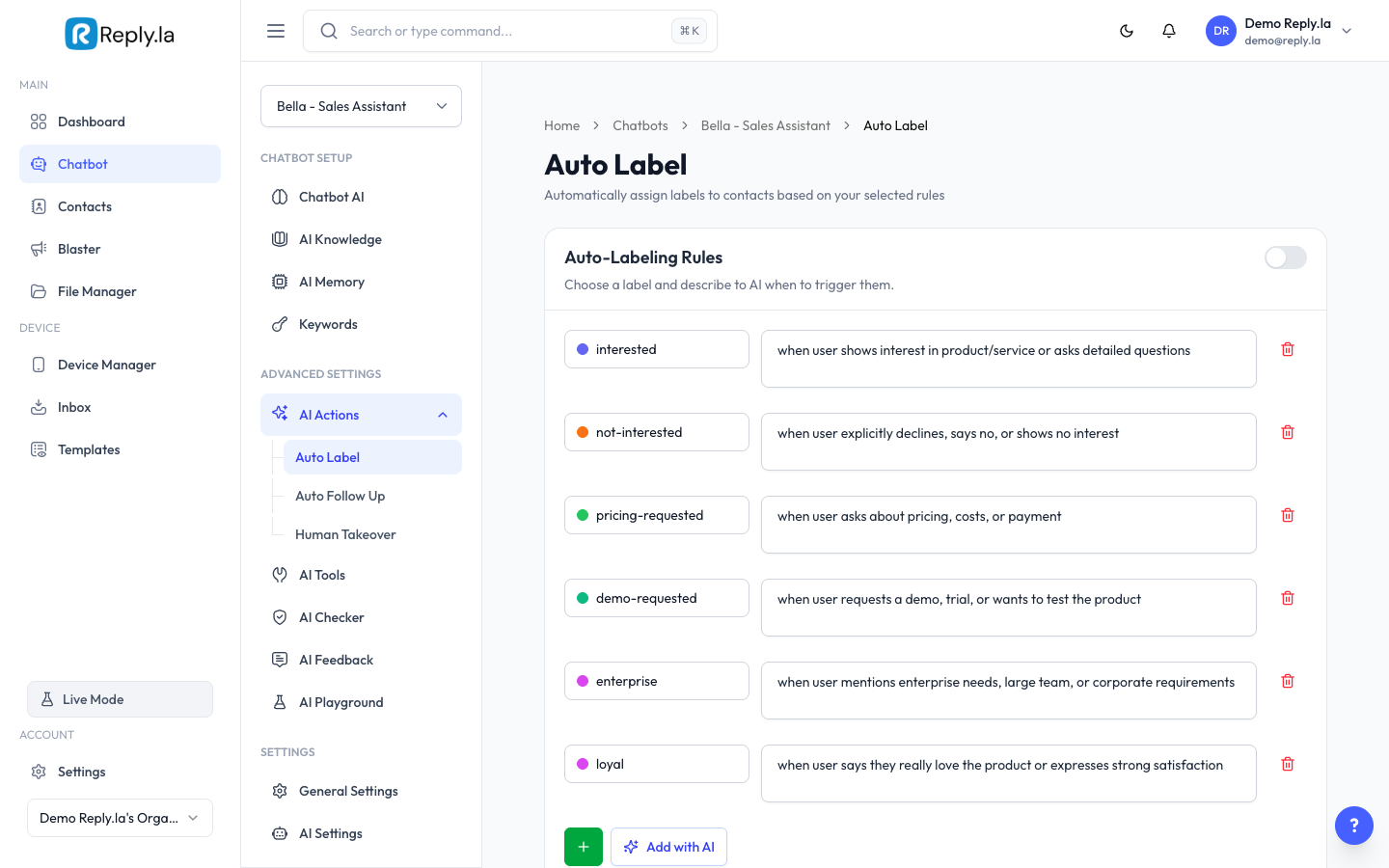
Auto Label lets your AI automatically assign labels (tags) to contacts during conversations. For example, if a customer asks about buying something, the AI can tag them as "Interested Buyer". If someone complains, the AI tags them as "Support Request".
How To Set Up Auto Label
- Go to Chatbot > click your chatbot > AI Actions > Auto Label.
- Toggle Enable Auto Label to ON.
- Set up your label rules:
- Label -- Select which label to assign.
- Condition -- Describe when this label should be applied (in plain language).
- Action -- What should happen (assign the label).
- Click Add Rule to create more rules.
- Click Save.
Good Label Rules
Label | Condition |
|---|---|
Hot Prospect | Customer asks about pricing, wants to buy, or requests payment info |
Cold Prospect | Customer is just browsing or asking general questions |
Support Request | Customer has a complaint, problem, or needs help with an order |
VIP Customer | Customer mentions they are a repeat buyer or orders large quantities |
Common Questions
What if the AI applies the wrong label?
You can manually change labels in the Contacts page or Inbox. Refine your condition descriptions to be more specific.
Does Auto Label use extra tokens?
It uses a small amount of extra processing, but it's minimal compared to the time it saves you.
Can I turn off Auto Label for a specific conversation?
Auto Label is a global setting for the chatbot. You can't disable it per conversation, but you can manually remove any labels that were incorrectly applied.
AI-Powered Suggestions
Auto Label now uses AI to suggest labels based on conversation context. Instead of relying solely on your predefined rules, the AI analyzes the full chat history and recommends the most relevant labels for each contact.
When a conversation is in progress, the AI evaluates the content and intent of the messages to determine which labels best fit. This means even if you haven't written a specific rule for every scenario, the AI can still suggest appropriate labels.
Auto Label also includes deal outcome tracking, so you can see how labeled contacts convert over time. This helps you measure which label categories lead to the most sales or desired outcomes, and refine your labeling strategy accordingly.
Updated on: 21/04/2026
Thank you!