
Chatbot AI
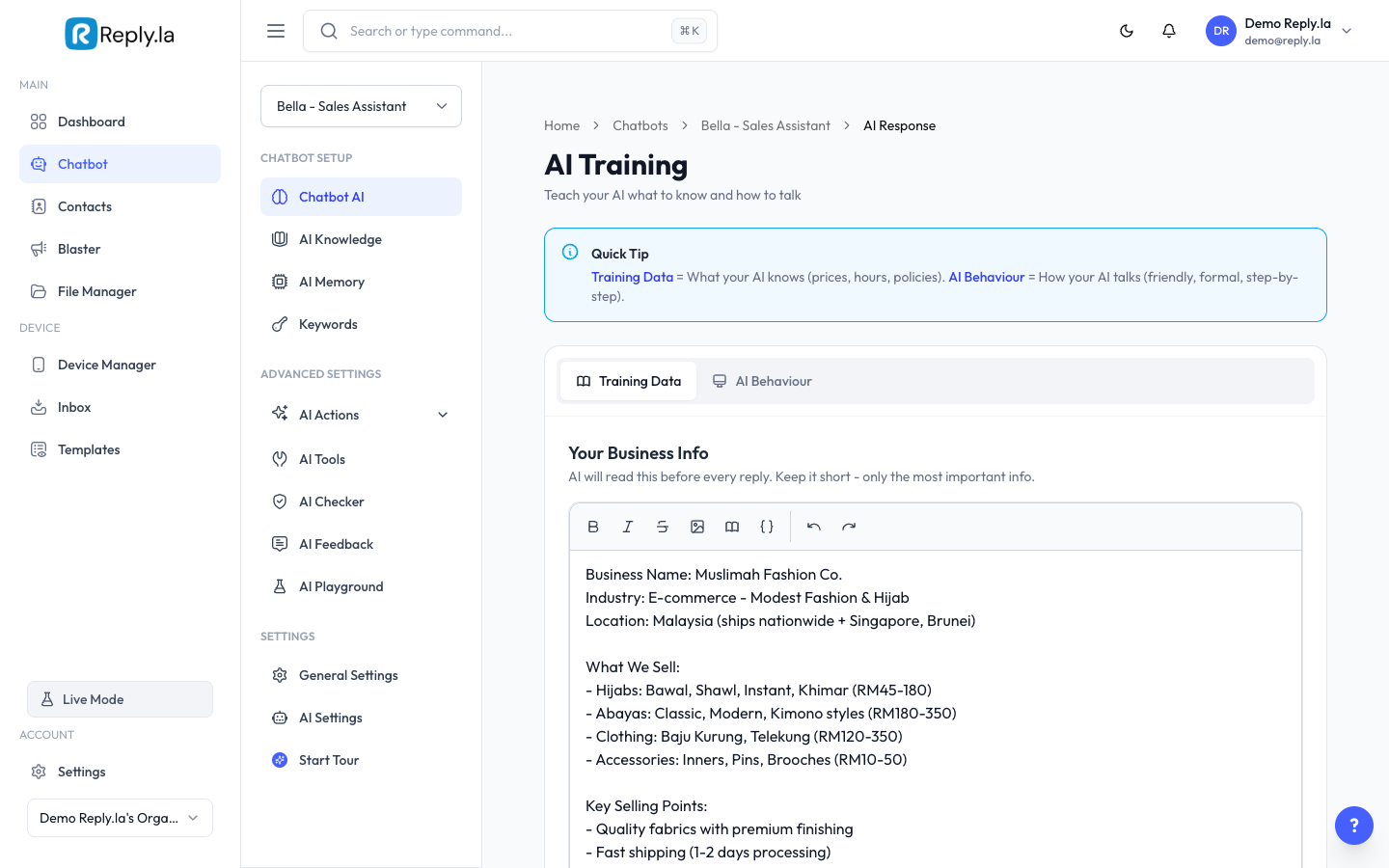
What Is Chatbot AI?
Think of this page as your AI's training session. There are two parts:
- Training Data -- The facts your AI needs to know (prices, hours, policies). The AI reads ALL of this before every reply.
- AI Behaviour -- The personality and style of your AI (friendly? formal? replies in Malay?). This tells the AI HOW to respond.
Before You Start
- You have created a chatbot (see Create Your First Chatbot).
How To Use Training Data
Training Data is like a cheat sheet your AI reads before every single reply. Put only the most important, short facts here.
- Go to Chatbot > click your chatbot > Chatbot AI.
- Make sure the Training Data tab is selected.
- Type your business information in the editor. Use clear labels so the AI can find things easily.
- Click Save.
Good example:
Business Name: Nasi Lemak Mak Cik
Hours: Mon-Sat 7am-3pm, closed Sunday
Location: No. 15, Jalan Masjid, Petaling Jaya
Phone: 011-2345-6789
Menu: Nasi Lemak Biasa RM5, Nasi Lemak Special RM8, Nasi Lemak Ayam RM10
Delivery: Available via Grab/Food Panda. No self-delivery.
Payment: Cash, TnG, DuitNow
How To Set AI Behaviour
AI Behaviour (System Prompt) tells your AI who it is and how to act.
- Click the AI Behaviour tab.
- Write instructions in plain language.
- Click Save.
Good example:
You are a friendly customer service assistant for Nasi Lemak Mak Cik.
Reply in Bahasa Malaysia by default. If the customer writes in English, reply in English.
Be warm and friendly. Use emojis occasionally.
Always mention our operating hours when asked about orders.
If you're not sure about something, say "Sila hubungi kami di 011-2345-6789 untuk maklumat lanjut."
Never make up information that's not in your training data.
Training Data vs AI Knowledge
|
Only put essential short info in Training Data. Move everything else to AI Knowledge.Training Data (this page) | AI Knowledge (separate page) | |
|---|---|---|
How it works | AI reads ALL of it before every reply | AI only searches for what's needed |
Best for | Short, must-know info (hours, policies, contact) | Long content (full product catalog, detailed FAQs) |
Cost | Uses more tokens because AI reads everything | Uses fewer tokens because AI only reads relevant parts |
Limit | Keep it short (under 1 page) | Can be much longer (multiple documents) |
Common Questions
Can I write in Bahasa Malaysia?
Yes! Write in whatever language your customers use. The AI understands multiple languages.
How long should my Training Data be?
As short as possible. A few paragraphs of key facts is ideal. Long product catalogs should go in AI Knowledge instead.
What happens if I leave Training Data empty?
Your AI will still work, but it won't know anything specific about your business. It will give generic answers.
Updated on: 21/04/2026
Thank you!